Docs tafs app
tafs: how it works
tafs is an iPhone and iPad app for running routine jobs, such as refunds or paying bills that match a purchase order, with AI teammates called tafs. Each taf acts only through KIFF, under a Card you issue it. This page describes what the app does today. For plans and prices, see /pricing.
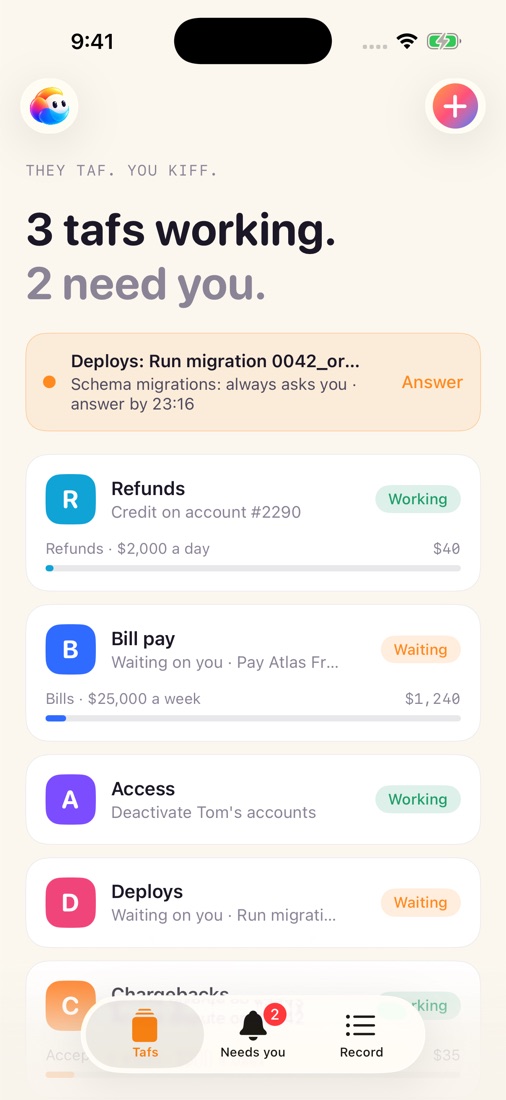
A taf and its Card
A taf is one AI teammate with one job. Its tools are your company’s, reached only through the KIFF MCP gateway; it has no other way to act. It never holds your sign-ins.
A taf’s Card says what it may do, how much, and until when: a limit for each call, a total for a day or a week, and what is held for you or refused outright. The Card tab shows what is left today.
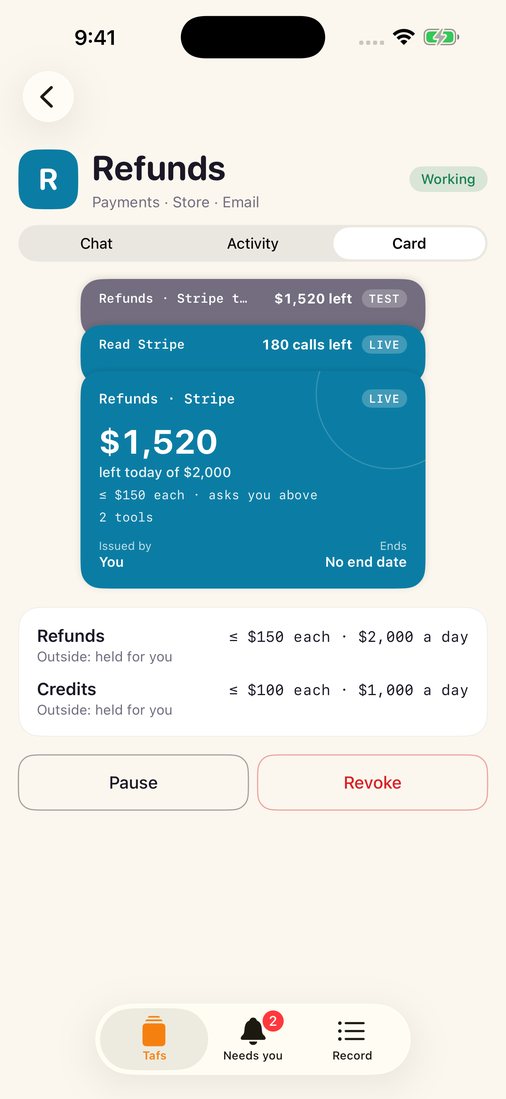
Inside its Card, a taf just gets on with it. KIFF checks every call before it reaches the service. A call over a limit is held for you, and a call the Card refuses is refused whoever asks. See Held calls and approvals.
From a taf’s Card you can Pause the taf’s schedule or Revoke the Card.
Needs you
A held call waits in Needs you, with the taf, the action, the Card rule that held it and the time left. You can approve it once with Face ID, choose another option the taf offered (such as paying half), or refuse. If nobody answers before the hold expires, the call is refused.
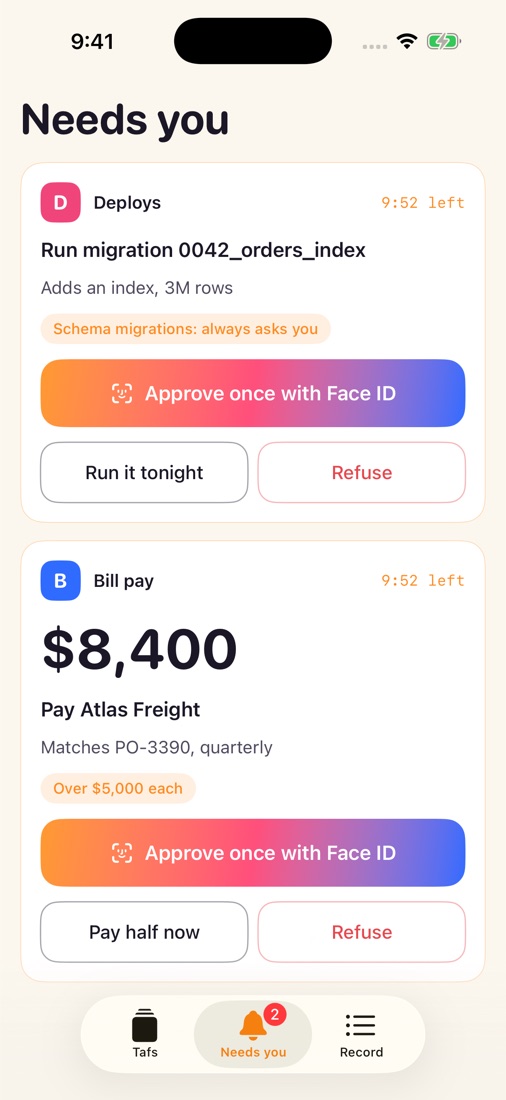
Your answer is signed on your phone and KIFF accepts it only with that signature. What grants authority, such as issuing a Card, is signed by a second key that requires Face ID each time it signs.
When a call is over a total that the Card keeps across calls, such as a day’s, approving it once cannot pass that total. The hold then offers Extra room, with Face ID: KIFF gives the Card just the room that call needs until the total resets. Changing a limit for good is done in Coach mode.
Coach mode
Coach mode is where tafs are made, connected and changed. Tell it the job in your own words. It drafts the taf and its Card, asks what it needs to know, and opens each vendor’s own sign-in page when a connection is needed. Nothing starts until you issue the Card with Face ID.
Coach also answers questions about a taf: why a call was held or refused, what counts as a task, and what a halt stops. Past conversations are listed in Coach mode. Swipe to archive one, and confirm. It leaves the list on all your devices, and you can open it or put it back from Archived.
Chat, notes and the Record
Each taf has a Chat tab. Ask what it did, or tell it to do something differently. It works under its Card either way.
A taf writes notes about how you like the job done, and every run and chat starts with them. A note shapes how the taf works, never what its Card allows. Under What it remembers, Forget removes one note and its earlier versions. Past chats and run reports stay until the taf is removed.
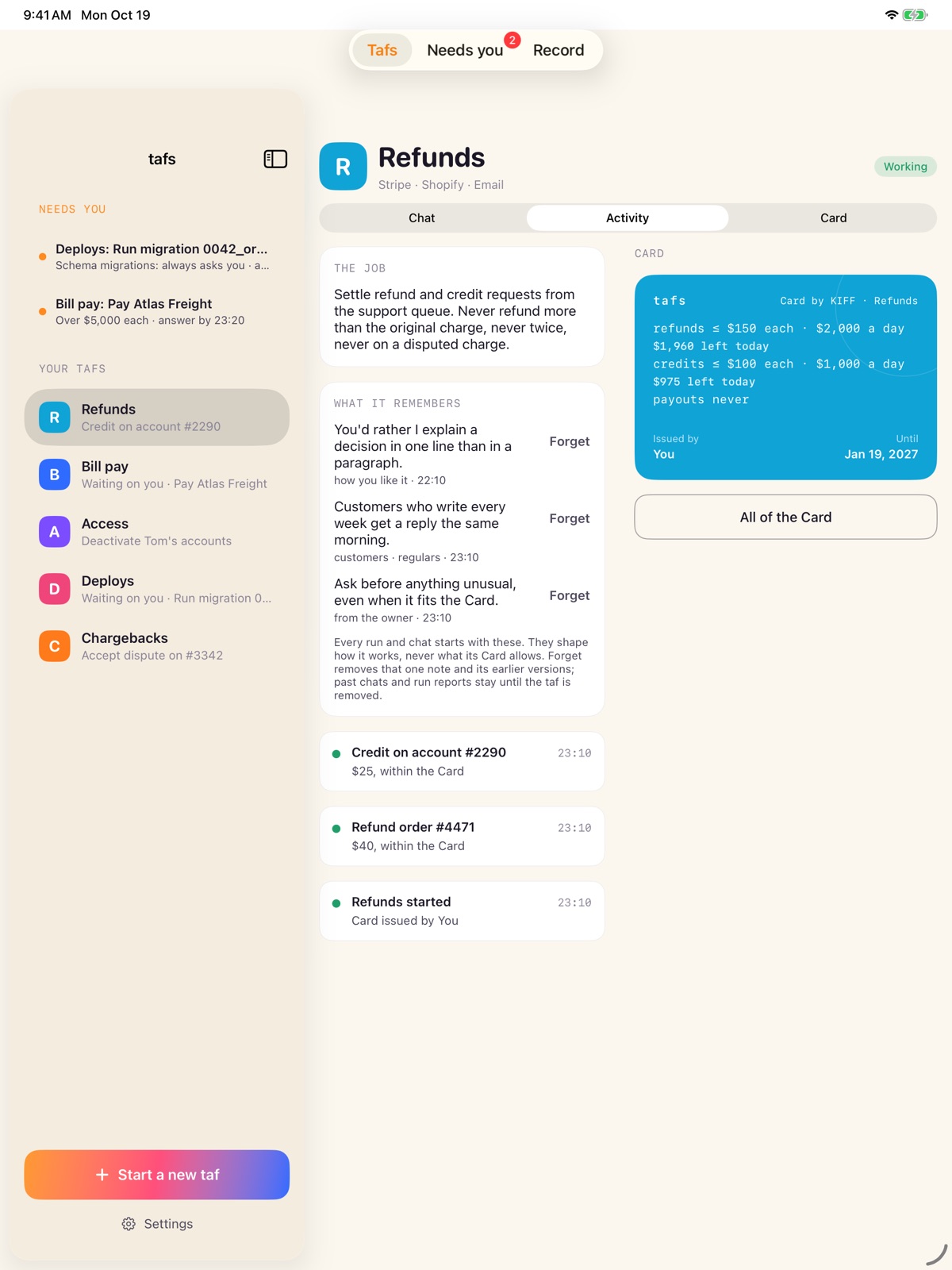
The Record lists everything the taf did, asked or was refused, newest first.
More
- Try a version beside the live one
- Halt and resume
- Tasks, packs and AI use
- Where tafs keeps data, store by store: where data lives